




Download

Version 0.13.1 for Windows (64-bit) and Mac (Apple Silicon). Pick your computer below.

Widget cheering with both arms upPip cheering with both arms up

On a phone or tablet? The game plays on a Windows PC or a Mac, so grab it there.

Windows 64-bit

Version
0.13.1 beta
Download
187 MB
Download for Windows

PipsTangleTrouble-v0.13.1-Windows-x64.zip

How to install

  1. Right-click the zip file and choose Extract All.
  2. Open the new folder and double-click PipTangleTrouble.exe.
  3. If a blue “Windows protected your PC” box appears, click More info, then Run anyway. This beta isn't signed yet, so Windows asks the first time.
Check the download (SHA-256)
6c31845d8d52eee566e735d10ac7c1bbf8dc26b3fb812ae7b2c6a47f29a09b95

In PowerShell, run Get-FileHash PipsTangleTrouble-v0.13.1-Windows-x64.zip in your Downloads folder and compare.

Mac Apple Silicon

Version
0.13.1 beta
Download
177 MB
Download for Mac

PipsTangleTrouble-v0.13.1-macOS-AppleSilicon.zip

How to install

  1. Open the zip file. Your Mac unzips it for you.
  2. Double-click Pip's Tangle Trouble to play. You can move it to your Applications folder first if you like.
  3. The app is signed and notarized by Apple, so it opens without a security warning.
Check the download (SHA-256)
5cfd7a75a722ba3c6574a18044967778602d36e0d47c1a87cc58efe09b68687b

In Terminal, run shasum -a 256 ~/Downloads/PipsTangleTrouble-v0.13.1-macOS-AppleSilicon.zip and compare.

This is a beta, so you may find a few rough edges. See what's new in version 0.13.1.

System requirements

System requirements for Windows and Mac
RequirementWindowsMac
SystemWindows 10 or 11, 64-bitmacOS 12 Monterey or newer
ProcessorAny 64-bit Intel or AMD processor from about the last 10 yearsApple Silicon (M1 or later) only. Intel Macs can't run this build.
GraphicsDirectX 11 capable, integrated graphics are fineBuilt in
Memory4 GB minimum, 8 GB comfortable
Disk spaceAbout 380 MB installed (187 MB download)About 355 MB installed (177 MB download)
AlsoScreen of 1280×720 or larger. Play with a keyboard or a game controller. Internet is only needed for the optional playtest data sharing.

Controls

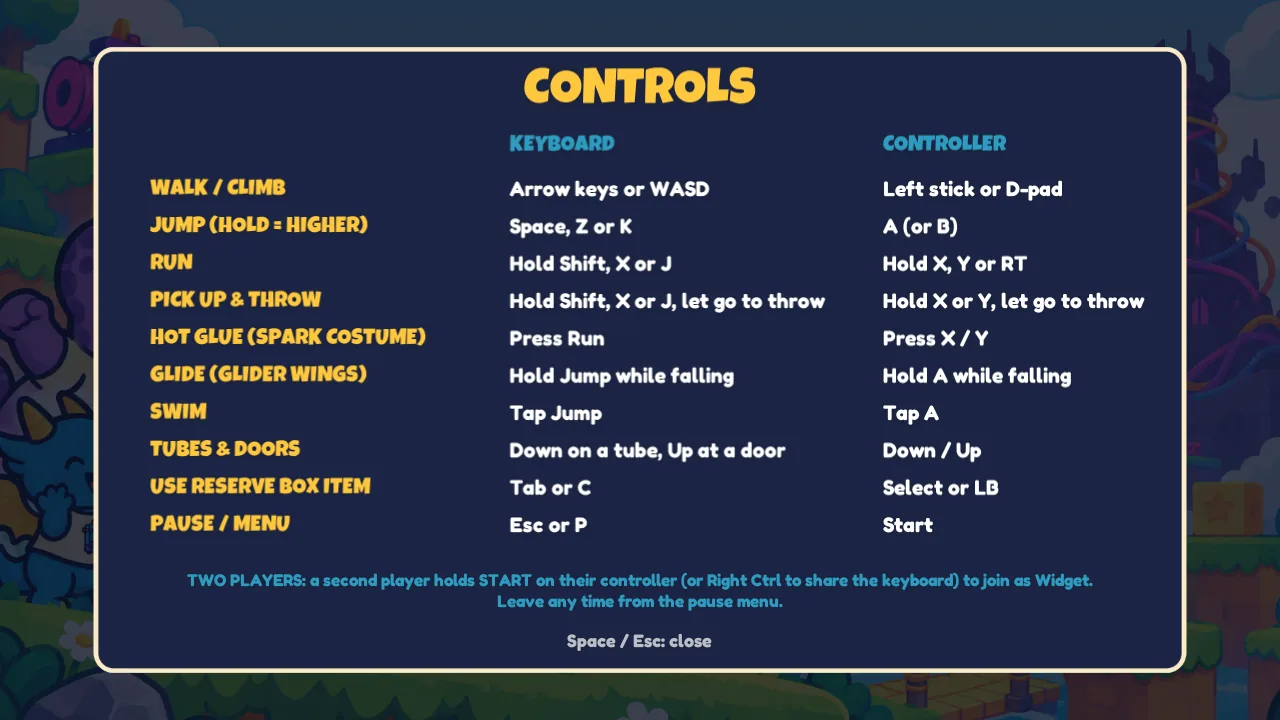
Controls on keyboard and controller
To do thisKeyboardController
Walk / climbArrow keys or WASDLeft stick or D-pad
Jump (hold = higher)Space, Z or KA or B
RunHold Shift, X or JHold X, Y or RT
Pick up & throwHold Shift, X or J, let go to throwHold X or Y, let go to throw
Hot glue (Spark Costume)Press RunPress X / Y
Glide (Glider Wings)Hold Jump while fallingHold A while falling
SwimTap JumpTap A
Tubes & doorsDown on a tube, Up at a doorDown / Up
Use reserve box itemTab or CSelect or LB
Pause / menuEsc or PStart
Join as Widget (player 2)Hold Right CtrlHold Start on a second controller
Controls screen listing keyboard and controller buttons for every action
The same card in the game. Find it under Controls in Options, the pause menu or the map menu.

More questions? See the FAQ